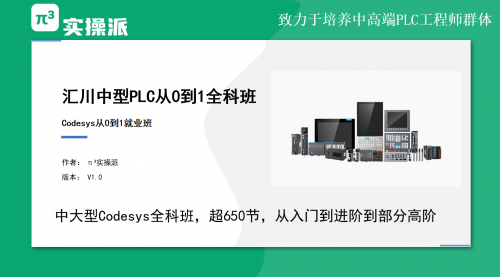
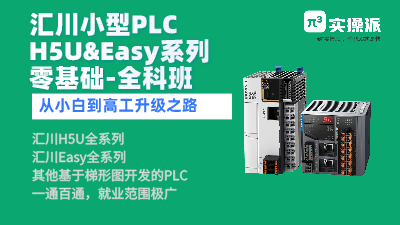
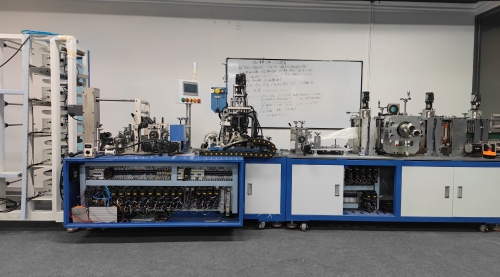
苏州实操派科技有限公司官网-实操派教育科技,汇川技术PLC培训,实操派PLC培训,苏州PLC培训机构

Ways to Reset T5 in Siemens PLC: A Step-by-Step Guide

[复制链接]
2 422
唐庆旺 2023-6-28 14:43:14 | 显示全部楼层 |阅读模式

附件下载,需登录可以查看贴内更多信息

您需要 登录 才可以下载或查看,没有账号?立即注册

x
文章大纲:

I. Introduction

- Definition of T5 in Siemens PLC
- Importance of resetting T5

II. Methods of resetting T5 in Siemens PLC

- Option 1: Resetting T5 using the TIA Portal
        - Step-by-step guide
        - Tips and tricks
- Option 2: Resetting T5 using the SIMATIC Manager
        - Step-by-step guide
        - Tips and tricks

III. Common issues encountered when resetting T5

- Error messages and their meanings
- Troubleshooting tips

IV. Best practices for resetting T5 in Siemens PLC

- Preparation before resetting T5
- Safety precautions to take
- Preventive measures to avoid the need for frequent T5 resets

V. Conclusion

- Summary of key points
- Importance of properly resetting T5 in Siemens PLC

I. Introduction

Siemens programmable logic controllers (PLCs) are widely used in industrial automation systems due to their reliability, flexibility, and ease of use. T5 is one of the key components of Siemens PLCs, responsible for storing system-specific data such as time, date, and configuration settings. In this article, we will discuss the various ways to reset T5 in Siemens PLC, including step-by-step guides and troubleshooting tips.

II. Methods of resetting T5 in Siemens PLC

Option 1: Resetting T5 using the TIA Portal

The TIA (Totally Integrated Automation) Portal is the software platform used by Siemens for programming and configuring PLCs. To reset T5 using the TIA Portal, follow these steps:

1. Open the TIA Portal and connect to the PLC.
2. Navigate to the "Device configuration" tab and select the "General" menu.
3. Click on "PLC information" and select "Clear memory."
4. In the pop-up window, check the box next to "Clear Time of Day Clock (T5)" and click "OK."
5. Confirm that you want to clear the T5 memory by clicking "Yes."

Tips and tricks:

- Always make sure to create a backup of the PLC program and system data before resetting T5.
- Check the PLC manual or Siemens support website for any specific guidelines or precautions regarding T5 resets.

Option 2: Resetting T5 using the SIMATIC Manager

The SIMATIC Manager is another software tool used for programming and configuring Siemens PLCs. To reset T5 using the SIMATIC Manager, follow these steps:

1. Open the SIMATIC Manager and connect to the PLC.
2. Navigate to the "PLC" menu and select "Simulate / RUN."
3. In the pop-up window, select "Stop CPU" and click "OK."
4. Go to "File" and select "Memory card."
5. Choose "Reset memory" and select "T5" from the drop-down menu.
6. Click "OK" to confirm and initiate the reset.

Tips and tricks:

- If the PLC is running in production mode, make sure to inform the relevant personnel and obtain clearance before resetting T5.
- Always verify that the PLC program and system data are correct after resetting T5.

III. Common issues encountered when resetting T5

Error messages and their meanings:

- "T5 Failure": This means that the T5 memory has been corrupted or has failed. In most cases, a T5 reset is required to resolve this issue.
- "PLC not responding": This may indicate a communication error between the PC and the PLC. Make sure to check the connection and restart the software if necessary.
- "PLC is in RUN mode": If the PLC is in RUN mode, it may not allow T5 resets. Stop the PLC and try again.

Troubleshooting tips:

- If the T5 reset does not resolve the issue, try restarting the PLC or reinstalling the software.
- Check for any hardware faults that may be causing the problem, such as loose connections or damaged components.

IV. Best practices for resetting T5 in Siemens PLC

Preparation before resetting T5:

- Create a backup of the PLC program and system data.
- Notify relevant personnel of the reset and obtain permission if necessary.
- Identify any specific guidelines or precautions regarding T5 resets from the PLC manual or Siemens support website.

Safety precautions to take:

- Always wear appropriate personal protective equipment (PPE).
- Make sure that the power to the PLC is isolated before attempting a T5 reset.
- Follow all relevant safety protocols and procedures.

Preventive measures to avoid the need for frequent T5 resets:

- Regularly maintain and inspect the PLC and its components.
- Implement proper monitoring and diagnostic tools to detect issues early.
- Avoid unnecessary or improper modifications to the PLC system.

V. Conclusion

Properly resetting T5 in Siemens PLC is crucial for maintaining the stability and reliability of industrial automation systems. In this article, we discussed the various ways to reset T5, common issues encountered during resets, and best practices for ensuring safe and effective T5 resets. By following these guidelines, you can ensure that your PLC system operates smoothly and efficiently.

________________________________________________________________________

免责声明:本文非官方发布,内容真实性请注意甄别,文章内容仅供参考。本站不对内容真实性负责,请悉知!本站不对内容真实性负责,请悉知!。我们专注于汇川技术产品培训,官网https://shicaopai.com

相关帖子

回复

使用道具 举报

shicaopai 2023-6-28 14:44:51 | 显示全部楼层
提示: 作者被禁止或删除 内容自动屏蔽
回复

使用道具 举报

shicaopai 2023-6-28 14:45:46 | 显示全部楼层
提示: 作者被禁止或删除 内容自动屏蔽
回复

使用道具 举报

您需要登录后才可以回帖 登录 | 立即注册

本版积分规则

"π³ 实操派",培养中高端PLC工程师,PLC培训-Codesys培训

项目实战 手把手教学 微信&电话 15850116008
超2000节系统化课程,汇川优秀自动化讲师亲授!学一门Codesys,玩800家PLC仅剩少量名额
点击免费试听

到实操派,学PLC就是快!

扫码领取工控文库VIP

钻石VIP先到先得

服务电话 & 微信:9:00-22:00

15850116008

苏州实操派科技有限公司

公司地址:江苏省苏州市吴中区越溪街道天鹅荡路5号31B13

Copyright © 苏州实操派科技有限公司 2022 到实操派,学PLC就是快!工业自动化业务培训适用人群:成人 ( 苏ICP备2022021576号-3 )

公司地址:江苏省苏州市吴中区越溪街道天鹅荡路5号31B13

返回顶部