附件下载,需登录可以查看贴内更多信息
您需要 登录 才可以下载或查看,没有账号?立即注册
x
Title: How to Use PLC for Connecting Instruments and Equipment in Electrical Engineering
Introduction:
In electrical engineering, Programmable Logic Controllers (PLCs) have become an integral part of industrial automation systems. PLCs provide a reliable and efficient means of connecting instruments and equipment for various applications. This article aims to provide a comprehensive guide on how to effectively use PLCs for connecting instruments and equipment, highlighting the key considerations, necessary steps, and best practices.
I. Understanding PLCs and their Functions:
Before diving into the process of connecting instruments and equipment using PLCs, it is essential to have a clear understanding of what PLCs are and their functions. PLCs are computer-based systems that monitor and control various industrial processes. Their primary functions include data collection, decision-making, and controlling outputs based on inputs received from sensors and other devices.
II. Initial Considerations for Instrument and Equipment Connection:
1. System Analysis: Before starting the connection process, conduct a thorough analysis of the system requirements, including the type of instruments and equipment to be connected, their communication protocols, and the overall system architecture.
2. PLC Selection: Choose an appropriate PLC model based on requirements such as input/output capacity, processing speed, memory capacity, and compatibility with the instruments and equipment to be connected.
3. Network Design: Evaluate the network topology and select the communication protocol best suited for the instruments and equipment. Common protocols include Modbus, Profibus, Ethernet/IP, among others.
III. Steps for Connecting Instruments and Equipment using PLCs:
1. Hardware Connections:
a) Ensure the power supply to both the PLC and the instruments/equipment is turned off before making any connections.
b) Connect the PLC power supply to a stable voltage source and verify the correct voltage levels.
c) Establish proper grounding for the PLC and all connected instruments/equipment.
d) Connect the input devices such as sensors, switches, and transducers to the PLC’s input terminals, considering the electrical compatibility and proper connection techniques.
e) Connect the output devices such as motors, valves, and actuators to the PLC’s output terminals, ensuring correct polarity and appropriate load considerations.
2. Software Configuration:
a) Install the necessary programming software provided by the PLC manufacturer on a computer connected to the PLC.
b) Create a new project or open an existing one, and configure the PLC’s input and output modules according to the connected instruments and equipment.
c) Define the required communication protocol and parameters for each connected instrument and equipment.
d) Develop the logic and control programs using ladder logic, structured text, or any other supported programming language.
e) Test the program using appropriate debug tools and simulate inputs/outputs to verify the desired functionality.
3. Integration and Testing:
a) Establish communication between the PLC and the connected instruments/equipment using the selected communication protocol.
b) Verify the data exchange between the PLC and the instruments/equipment, ensuring accurate readings and proper control signals.
c) Conduct thorough testing to ensure the system operates as intended, including stress testing, fault simulation, and emergency shutdown scenarios.
d) Document all the connections, configurations, and programming details for future reference and troubleshooting purposes.
IV. Best Practices and Troubleshooting Tips:
1. Follow electrical safety procedures and guidelines when making hardware connections and working with live circuits.
2. Use shielded cables and proper grounding techniques to minimize electrical noise and interference.
3. Regularly backup PLC programs and configurations to avoid data loss.
4. Utilize diagnostic tools and built-in PLC features for effective troubleshooting and debugging.
5. Stay updated with the latest firmware and software patches released by the PLC manufacturer to ensure system stability and security.
Conclusion:
Effectively using PLCs for connecting instruments and equipment in electrical engineering requires careful planning, meticulous hardware connections, precise software configuration, and thorough testing. By following the outlined steps and best practices, engineers can ensure a reliable and robust automation system that enhances productivity and efficiency in various industrial applications. Remember to always prioritize safety and stay updated with the latest advancements in PLC technology for optimum performance.
________________________________________________________________________
免责声明:本文非官方发布,内容真实性请注意甄别,文章内容仅供参考。本站不对内容真实性负责,请悉知!本站不对内容真实性负责,请悉知!。我们专注于汇川技术产品培训,官网https://shicaopai.com |
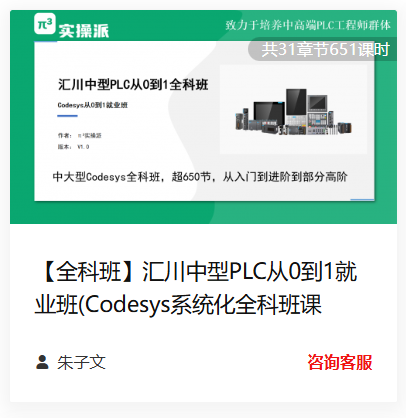
 共31章节675课时
 共30章节677课时
 共4章节48课时
 共6章节90课时
 共8章节213课时
 共0章节18课时
 共7章节98课时
 共8章节144课时
 共9章节44课时
 共6章节52课时