附件下载,需登录可以查看贴内更多信息
您需要 登录 才可以下载或查看,没有账号?立即注册
x
How to Program PLC using CODESYS: A Beginner's Guide to OpenPLC
PLC programming is an essential part of modern industrial automation systems. The use of Programmable Logic Controllers (PLCs) has become increasingly popular in recent years as they offer significant advantages over traditional relay-based control systems, such as easier maintenance and troubleshooting, flexibility, and scalability. In this article, we will provide a beginner's guide to programming PLCs using CODESYS, a popular open-source software platform for industrial control systems.
1. Introduction
CODESYS is a powerful tool that allows engineers and programmers to create, manage, and simulate PLC programs quickly and efficiently. It is compatible with various hardware platforms and supports multiple programming languages, including ladder logic, structured text, function block diagrams, and sequential function charts. This flexibility makes it a popular choice for many applications, from simple process control to complex manufacturing systems.
2. Getting Started with CODESYS
Before diving into the nitty-gritty of PLC programming, you need to set up your development environment. Installing CODESYS is relatively straightforward. You can download the software for free from the official website and install it on your computer. Once installed, you can launch the program and get started.
The first step is to create a new project. You can do this by selecting "File" > "New Project…" from the menu bar. Choose a name for your project and select the appropriate hardware platform. CODESYS supports many different types of PLCs, so make sure to select the one that fits your needs.
3. Programming Your PLC
Once your project is set up, it's time to start writing your first PLC program. There are several programming languages to choose from, but we'll focus on ladder logic for this guide. Ladder logic is a graphical programming language that uses symbols and diagrams to represent logical functions and control sequences.
To create a new ladder logic program, right-click on your project and select "Add New Device". Select "Ladder Diagram" as the programming language, and CODESYS will create a new blank program for you to work on.
The basic building blocks of a ladder logic program are rungs, which represent individual control sequences. Each rung consists of one or more inputs, a logical function, and an output. The inputs can come from physical sensors or switches, or they can be virtual inputs created within CODESYS. The logical function determines how the inputs should be combined, and the output is the result of that combination.
For example, suppose you want to turn on a motor when a button is pressed. You would create a new rung and connect the button's input to the output that controls the motor. When the button is pressed, the input signal is received, and the motor turns on.
4. Debugging Your Program
One of the essential features of CODESYS is its debugging capabilities. Debugging allows you to test and verify your program's functionality before deploying it to the actual hardware. In CODESYS, you can simulate inputs and outputs to test your program's logic and behavior.
To start the simulator, go to "Debug" > "Start Debugging" from the menu bar. You can then set the values of your virtual inputs and watch as the outputs are updated in real-time. This feature makes it easy to identify and correct any errors in your program's logic.
5. Deploying Your Program
Once you've tested and verified your program, it's time to deploy it to the actual hardware. In CODESYS, you can compile your program into a binary file that can be loaded onto the PLC. The exact procedure may vary depending on your hardware platform, so refer to the manufacturer's documentation for specific instructions.
6. Conclusion
Programming PLCs using CODESYS can seem intimidating at first, but with a little practice, you'll be able to create complex automation systems quickly and efficiently. Remember to start with the basics, debug your programs thoroughly, and test your code before deploying it to the real world.
In conclusion, CODESYS is an excellent tool for PLC programming that can help streamline your industrial automation processes. With its flexibility and support for multiple programming languages, it's a popular choice for engineers and programmers worldwide. Whether you're a beginner or an experienced programmer, there's always something new to learn about PLC programming with CODESYS.
________________________________________________________________________
免责声明:本文非官方发布,内容真实性请注意甄别,文章内容仅供参考。本站不对内容真实性负责,请悉知!本站不对内容真实性负责,请悉知!。我们专注于汇川技术产品培训,官网https://shicaopai.com |
 共31章节675课时
 共30章节677课时
 共4章节48课时
 共6章节90课时
 共8章节213课时
 共0章节18课时
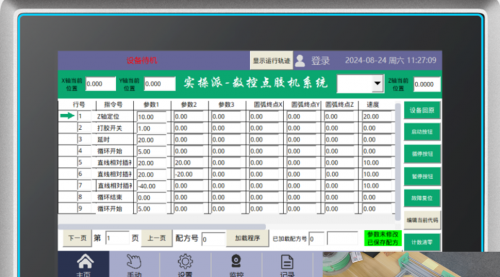 共7章节98课时
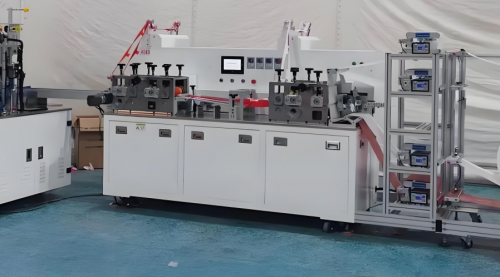 共8章节144课时
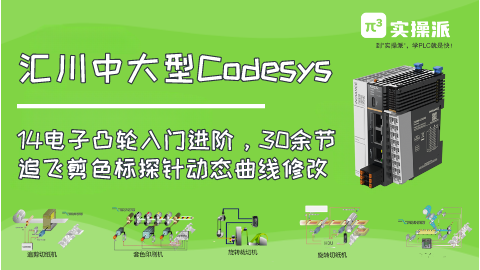 共9章节44课时
 共6章节52课时